This guide shows you how to add family members to your account and register them for tournaments without needing separate logins.
Adding a Family Member
There are two ways to add family members, but the most natural method is during tournament registration.
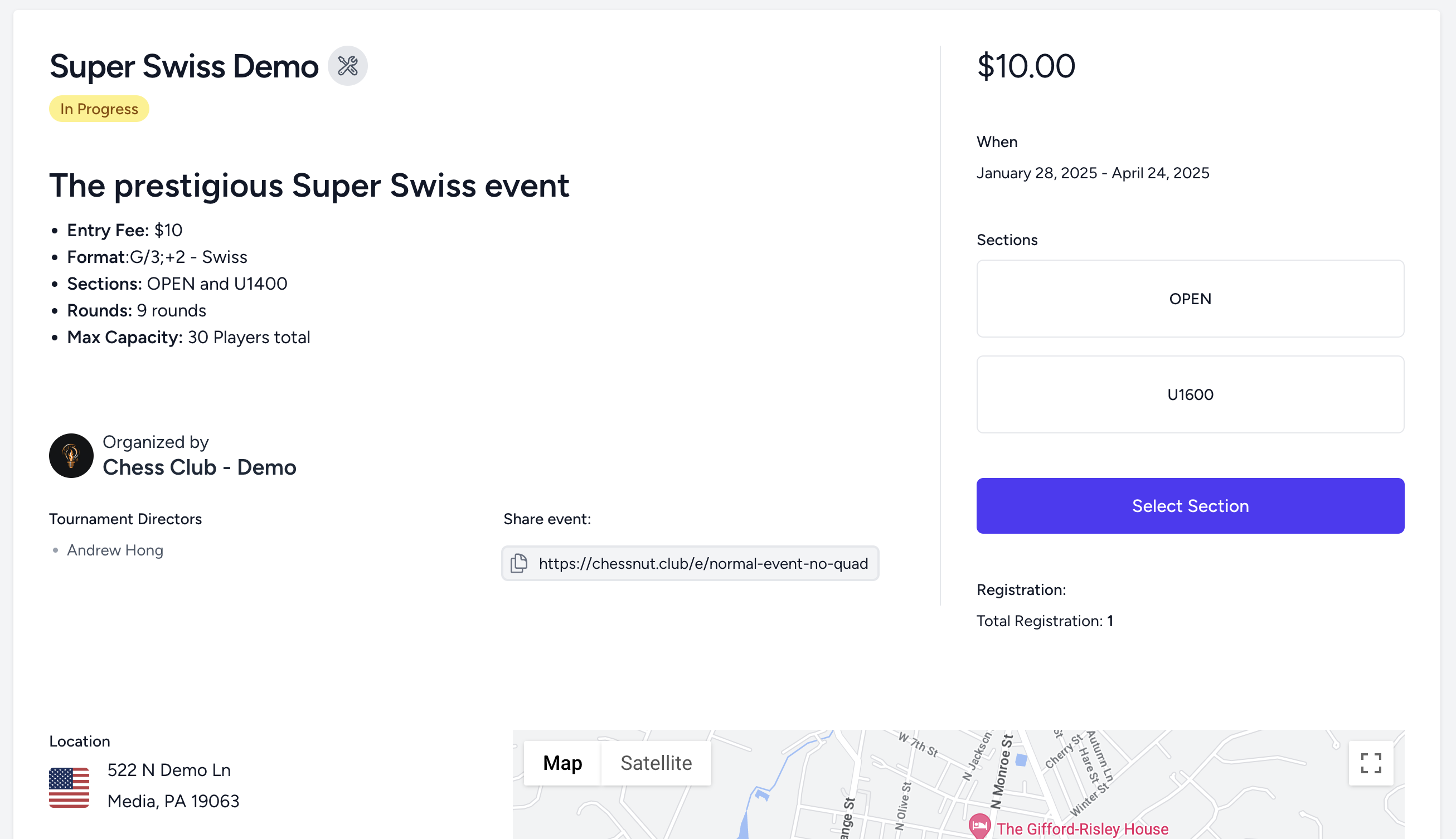
- Go to the Registration Page – Start signing up for a tournament. Pick a section and click the blue "Select Section" button
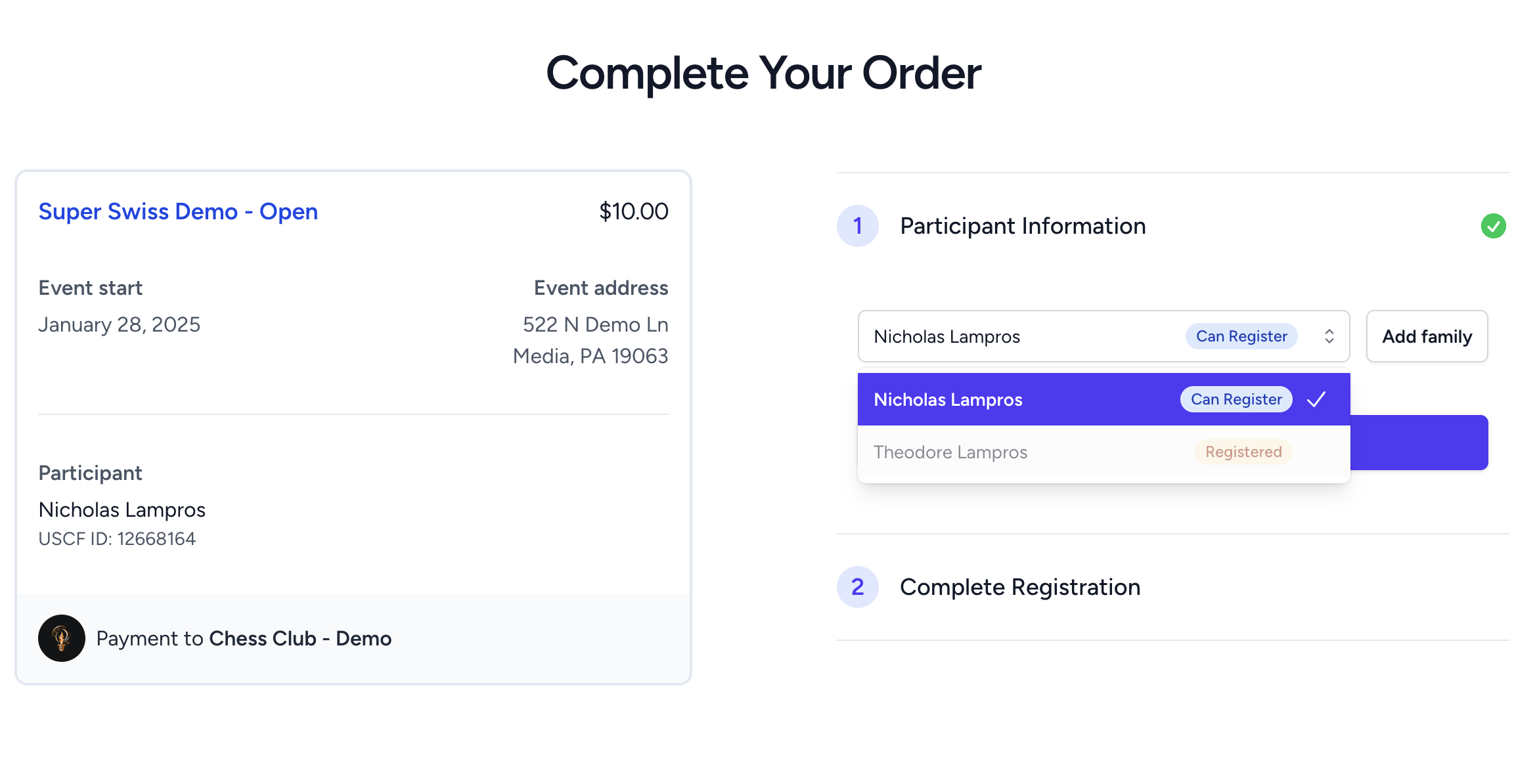
- Click "Add Family" – This will let you add a new family member
- Enter Their Details – Fill in their name and any required information.
- Save the Family Member – They will now be linked to your account for future registrations.
Managing Family Members
To view or edit family members:
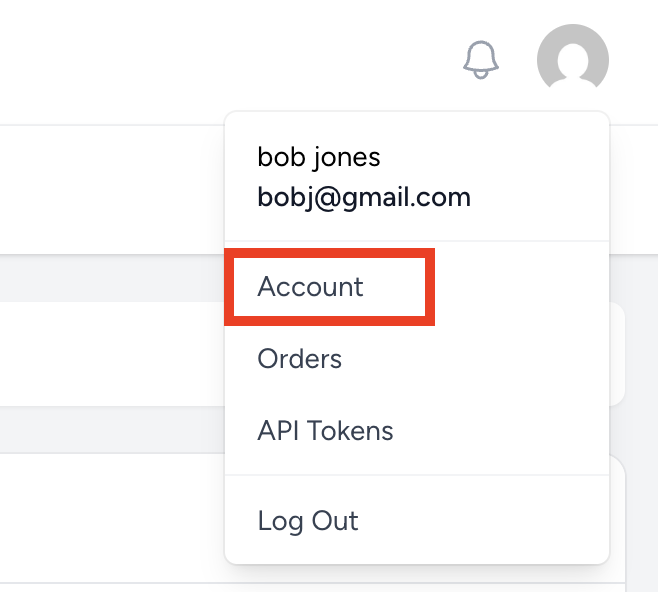
- Go to your Account settings.
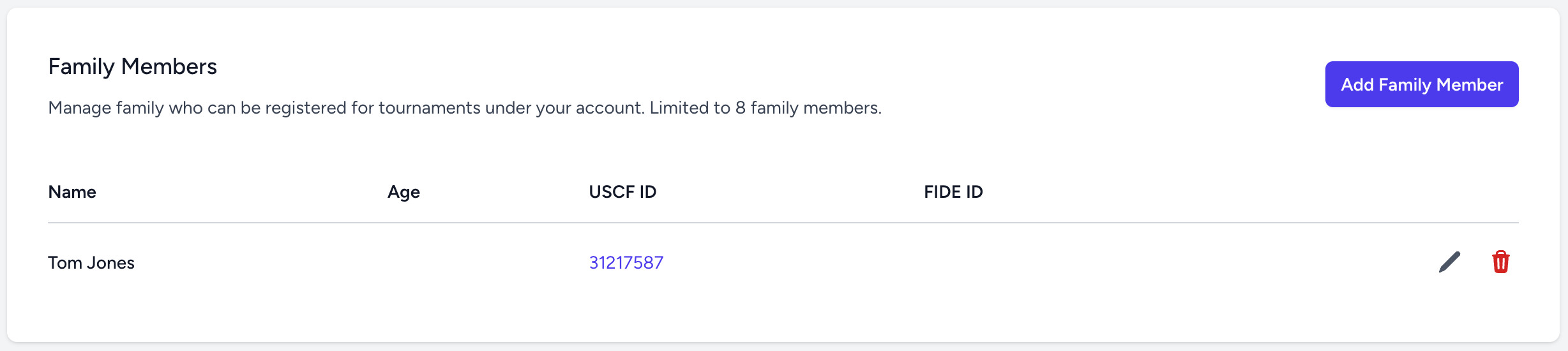
- Scroll to the "Family Members" section.
- Here, you can edit names or remove family members if needed.
Additional Information About Family Members
- While a family member is linked to a member of a club (via tournament registration), you will receive tournament-related emails on their behalf.
- ? If you have multiple family members registered, you will receive only one email for all of them.
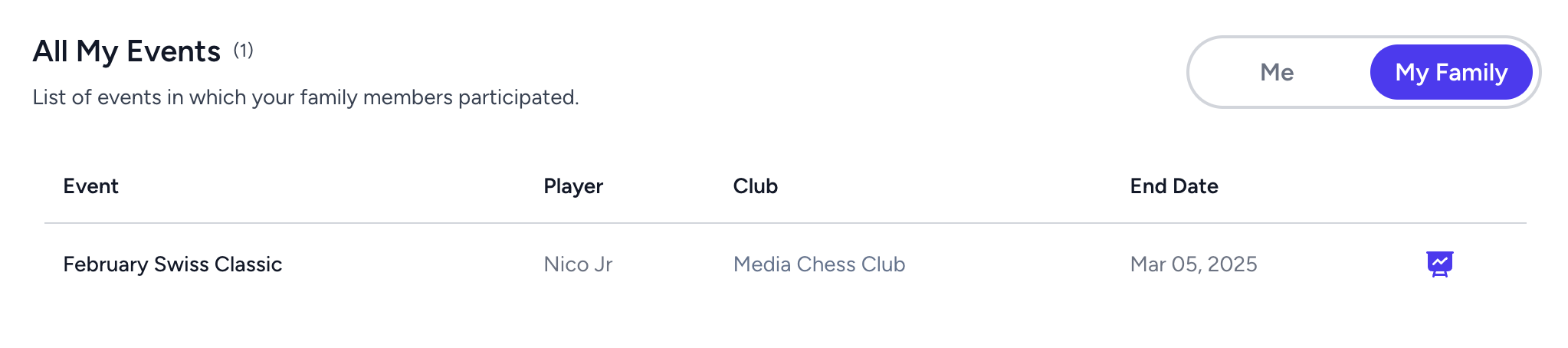
- You can view tournament and game history for family members linked to your account.
- A family member’s account can be claimed later when they want full control.
- The easiest way is for them to create their own Chess Nut account and provide their email to a club administrator.
- The admin can link the email to their member record and send an invitation to join, allowing them to take over their full history and access past tournaments.
Was this article helpful?
That’s Great!
Thank you for your feedback
Sorry! We couldn't be helpful
Thank you for your feedback
Feedback sent
We appreciate your effort and will try to fix the article